Visual Edit & Live Preview
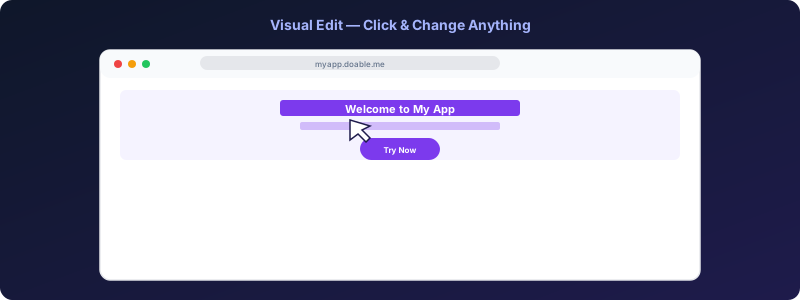
Doable's "visual edit" feature lets you point at any element in the live preview and change it (text, color, padding, image) without writing code or spending AI tokens. Behind the scenes, your edits are translated to AST patches and applied directly to the source files.
Turning it on
In the editor toolbar above the preview, click the cursor icon (or press V). The preview now shows a hover outline; clicking an element opens the inspector.
What you can edit visually
- Text content: double-click and type.
- Inline styles: color, background, padding, margin, border-radius, font-size.
- Tailwind classes: pick from a class palette filtered to the relevant property.
src/altfor images.hreffor links.
For anything more structural (adding a new component, restructuring layout), drop into the chat and describe what you want.
How it works
- The preview iframe loads with the visual edit bridge injected.
- When you click an element, the bridge sends the element's source location (file + line + column) to the parent (Doable editor).
- The inspector shows the relevant properties.
- When you confirm a change, the editor sends:
- The API parses the file with
@babel/parser, applies the patches via@babel/types, prints back withrecast(preserving formatting), and writes the file. - Vite HMR picks up the change. You see the result instantly.
The bridge script is at services/api/src/visual-edit-bridge-inline.ts. The direct-save handler is at services/api/src/direct-save/.
Why "no AI tokens"?
Visual edits go through a deterministic AST patch (no model in the loop). Result:
- Free (no token cost).
- Instant (no model latency).
- Predictable (same input → same output).
Use the chat for anything the inspector can't express; use the inspector for the dozens of small tweaks per session.
Components vs DOM elements
Doable inspects the React element, not the rendered DOM. So when you click a <Hero /> component instance, the inspector shows the props you can override (title, subtitle, imageSrc) and writes them in the parent component's JSX.
Limitations
- Works best on Vite + React + Tailwind projects (the supported template stack).
- Components in
node_modulesaren't editable visually; switch to chat or the code editor. - If you've heavily customized the build (renamed Vite to webpack, swapped Tailwind for vanilla CSS), the AST patches may not apply; fall back to chat.
Design View
Design View is the full visual editing mode, available via the Design View button in the chat toolbar or the paintbrush icon in the editor header.
When you enter Design View:
- The left panel switches to the property inspector (text, color, spacing, typography, size, border, layout editors).
- The preview becomes interactive; click any element to select it.
- A floating toolbar appears near the selected element with:
- Ask Doable: send an AI prompt scoped to the selected element.
- Select parent: navigate up the DOM tree.
- View code: jump to the source file/line.
- Delete: remove the element via AI.
Design comments in Design View
While in Design View, a Comment button appears in the top-right of the preview. Click it to enter comment placement mode, then click anywhere on the canvas to place a comment pin. See Collaboration → Design comments for full details.
Collaborative Design View
When multiple people are in Design View at the same time, you see each other's cursors and selected elements on the canvas in real time. Element selections are locked to prevent conflicts: if one person selects an element, others see the selection outline but can't edit that same element until it's released. See Collaboration → Collaborative Design View.
Debugging
If clicks don't show the inspector:
- Open the browser devtools, look for
[visual-edit-bridge]console logs. - Make sure the project's HTML response goes through the API's
/preview/route; direct localhost links bypass the injection. - Check that the project's components emit
data-locattributes (added by the Vite plugin Doable injects automatically; absent from very old projects).